Made in Germany - сделано в Германии

Компания WOLF в Украине - Отопительные и вентиляционные системы. Продажа, сервис, обучение.

image

Важная информация!

Повышение цен на отопительную технику Wolf

Уважаемые партнеры, информируем Вас, что в связи со значительным поднятием цен на сырье, с 1 декабря 2021 года произойдет поднятие цен на всю продукцию торговой марки WOLF на 5%. 

Газовые конденсационные котлы FGB

Будущее, доступное сегодня!
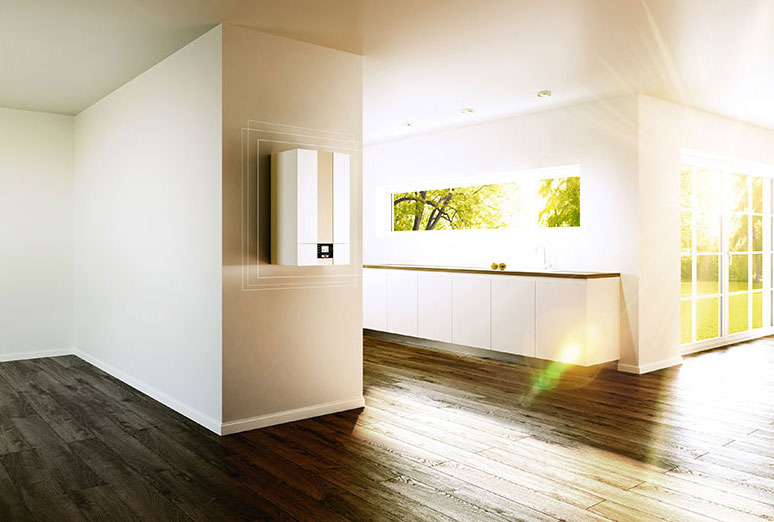
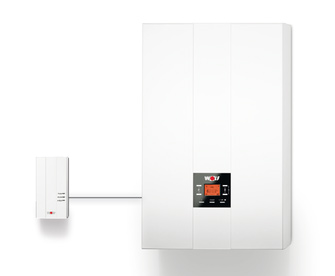
Котёл FGB-(K)-28 кВт, 35 кВт – современный настенный конденсационный котёл. Сделано в Германии.

Подробнее

Вентиляция
жилых
помещений
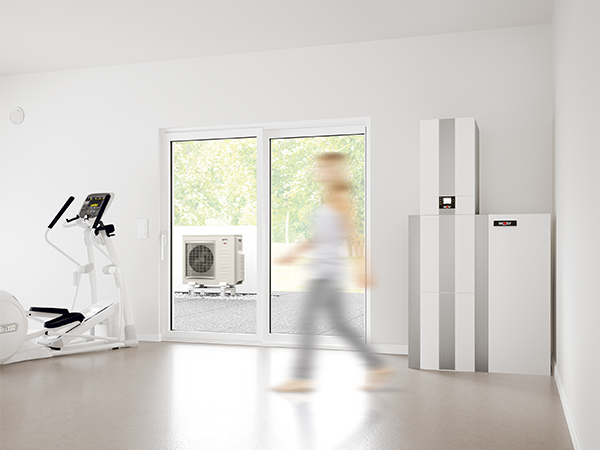
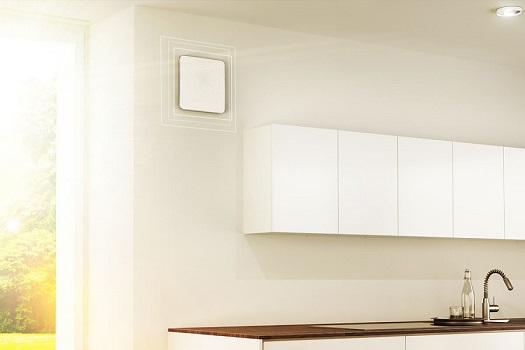
CWL-D-70

Компактная децентрализованная
вентиляционная установка

Подробнее

image

Солнечные коллекторы Wolf

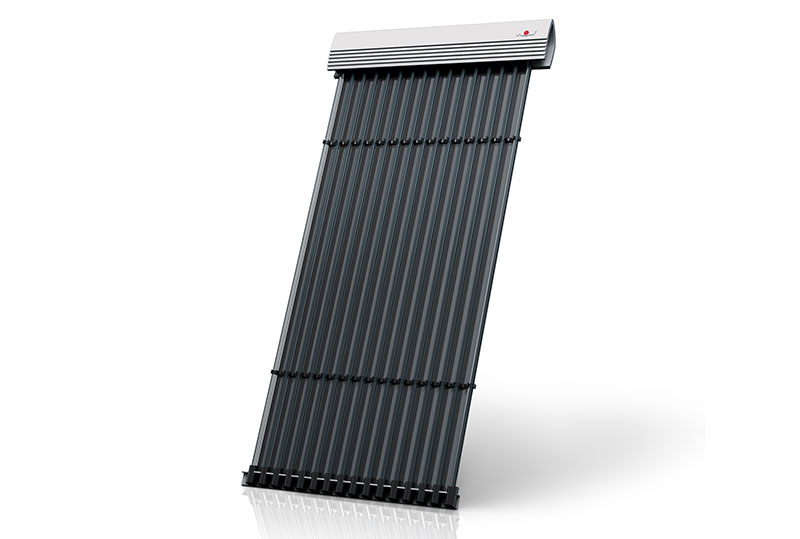
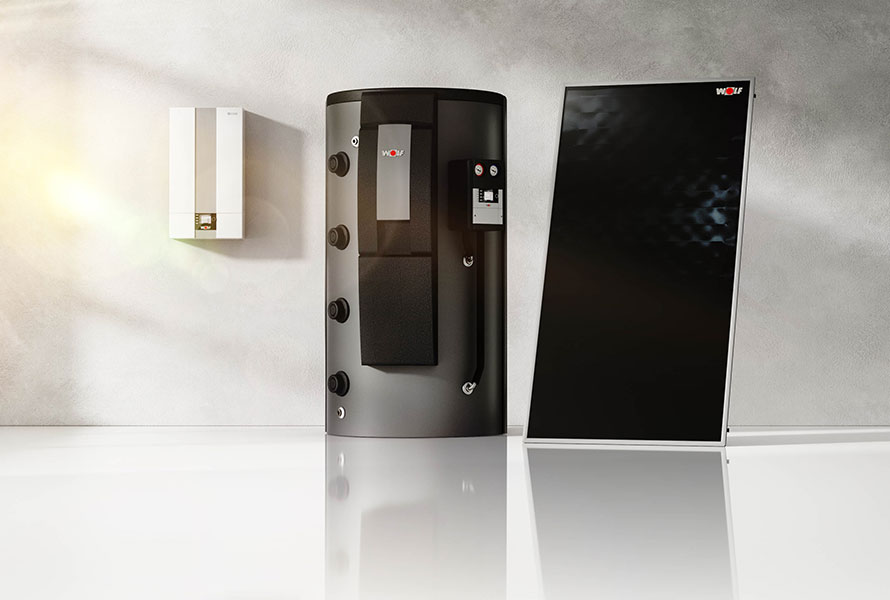
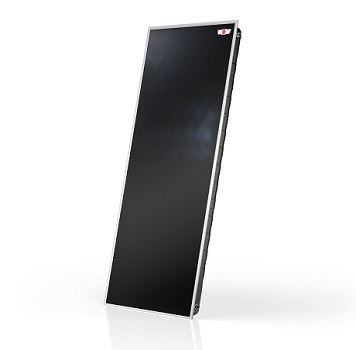
Высокоэффективные плоские солнечные коллектора Wolf отличаются высокой надёжностью и долговечностью благодаря новейшей разработке: бесшовная цельнотянутая алюминиевая ванна в основании коллектора.

Подробнее

Авторизированные сервисные центры

Услуги по обслуживанию отопительной техники WOLF вы можете получить во всех уголках Украины. Наши АСП квалифицированно проведут бесплатный ввод в эксплуатацию и гарантийный ремонт. Окажут услуги по техническому сервису и послегарантийному обслуживанию. Все наши АСП регулярно проходят специализированные обучения как в академии WOLF на Украине, так и на заводе WOLF в Майнбурге (Германия).

Подробнее

Протокол ввода в эксплуатацию

Уважаемые инсталляторы и пользователи, для Вашего удобства мы составили краткий и доступный протокол ввода в эксплуатацию газовых отопительных котлов фирмы Wolf.

Подробнее
 

Прайс-лист запасных частей

Фирма WOLF с большой ответственностью относится к надёжности своей техники. Всё необходимое для технического сервиса, гарантийного и послегарантийного обслуживания находится в распоряжении нашей технической службы на Украине и при необходимости будет предоставлено в кротчайшие сроки.

Подробнее
 

WOLF  service  APP

С программой Wolf Service Вы можете легко пользоваться каталогом запасных частей Wolf. Тут вы найдете более 5600 запасных частей, 230 взрывных чертежа и 2300 фотографии. Также Вы можете скачать приложение Wolf Service из App Store.

Подробнее
 

Фирменные точки продаж

Познакомьтесь с продукцией компании WOLF непосредственно в Вашем городе. По всей Украине наши партнёры квалифицированно познакомят Вас с отопительной техникой из промышленного сердца Германии.

Подробнее
 

Инсталляторы

В данном разделе мы собрали информацию о монтажных фирмах и инсталляторах, которые помогут Вам комплексно решить все вопросы, связанные с отопление вашего дома, установкой солнечных коллекторов или выборе теплового насоса.

Подробнее
 

Сотрудничество

По вопросам сотрудничества вы можете обратиться к нашим представителям.

Подробнее
 

Академия Wolf

В этом разделе Вы найдете темы занятий, даты и место их проведения.

Расписание занятий указано до конца 2020 года.

Подробнее

Акционное предложение от компании Wolf

Смонтируй Wolf – получи бонус

С 01.10.2017 до 31.12.2017 компания Wolf начинает беспрецедентную акцию для инсталляторов: В акции берут участие конденсационные котлы Wolf серии FGB и FGB-K с сервисными книжками, выданными официальным импортёром, проданные в период с 01.10.2017 до 31.12.2017 .

Подробнее

Новости компании

1-St Ukrainian Heat Pump Championship 2021

1-St Ukrainian Heat Pump Championship 2021 1-St Ukrainian Heat Pump Championship 2021
Чемпионат по монтажу альтернативных источников тепла 1-й Чемпионат Украины...
06 мая 2021

Install Fest Ukraine 2021

Install Fest Ukraine 2021 Install Fest Ukraine 2021
Международный фестиваль монтажников, проектировщиков и специалистов по сервису. "Install...
06 мая 2021

Выставка Aqua Therm 2019

Выставка Aqua Therm 2019 Выставка Aqua Therm 2019
Уважаемые партнеры! Приглашаем Вас посетить наш стенд № 1-E2-1
на выставке...
06 мая 2019

Выставка ISH 2019

Выставка ISH 2019 Выставка ISH 2019
Посетите нас на выставке ISH 2019! С 11 по 15 марта 2019 года во Франкфурте-на-Майне Wolf...
06 марта 2019

Wolf и программа IQ-Energy

Wolf и программа IQ-Energy Wolf и программа IQ-Energy
Компания Wolf стала участником программы IQ energy. IQ-Energy это Финансовый Инструмент...
13 ноября 2017

Энергосберегающие системы

RokGallery Extension (J2.5/3)

RokGallery

RokGallery is a ground-up revolutionary gallery extension, developed to be hugely flexible, customizable and thus extendable far into the future.

Description

The system itself is built on a custom tag-based architecture with the ability to have multiple tag-based galleries. RokGallery uses design and concepts that have been traditionally reserved for platform-native applications and are for the first time making their way into a web environment. For example, you will not have to resize images, or make thumbs before using them in RokGallery, just upload the raw image and use the RokGallery slice editor to resize and crop the images. This non-destructive editing method allows you to create and edit your image size, cropped view, etc, at any point without having to reupload or recreate your image in external photo editing software.

Other features include an all-new multi-file image upload mechanism that incorporates the latest HTML5 drag-and-drop upload functionality, but can also fall back to Flash if your browser doesn’t yet support this feature. Compound filtering can be used to isolate specific images you are looking for and a sophisticated Jobs Manager handles processes like image resizing in the background so you can get on with your work without having to wait for time-consuming image computations to complete.

Access the RokGallery Component at Admin → Components → RokGallery
RokGallery

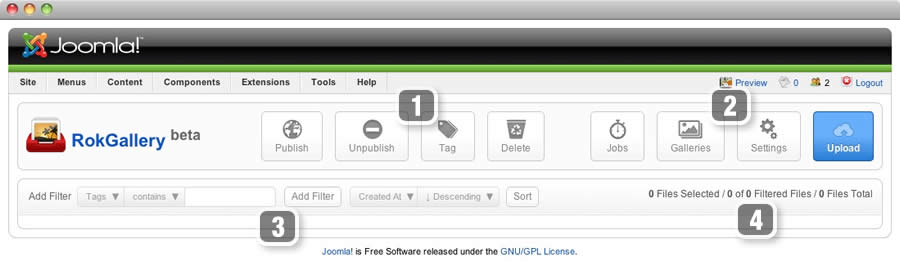
This section is an introduction to the general interface of RokGallery, specific instructions on the functions, such as filtering, will be explained below.

#1 Image Controls

  • Publish
  • Unpublish
  • Tag
  • Delete

#2 Gallery Controls

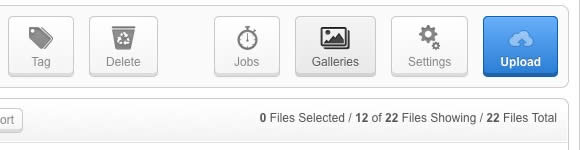
  • Jobs: A log of all previous and current operations, such as imports.
  • Galleries: Create, Delete and Manage all tag galleries.
  • Settings: Configuration the general aspects of RokGallery.
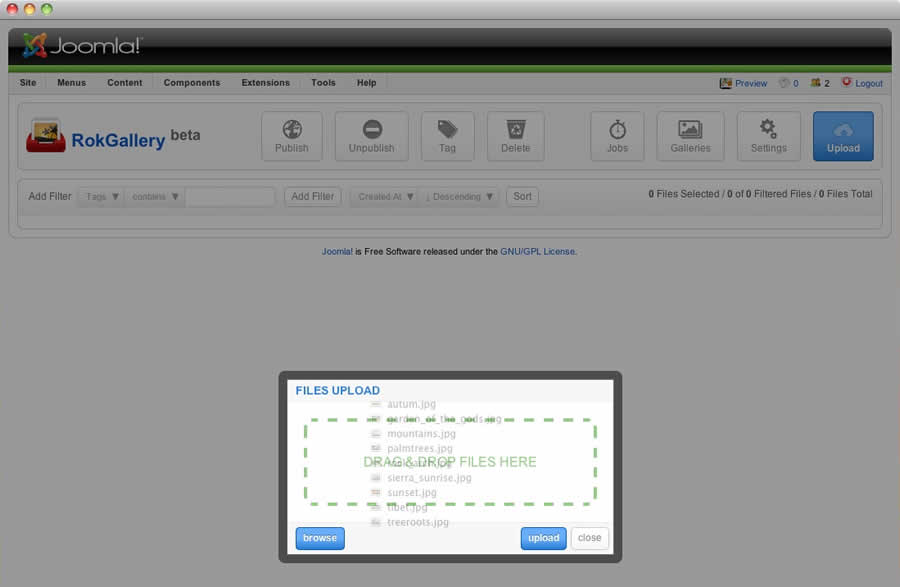
  • Upload: A HTML5/Flash drag and drop image uploader.

#3/4 Filters

The filters have a range of variables such as gallery, file type, published etc... to allow you to sort your images for management in an efficient and simple manner. Statistics for the filters appear at #4.

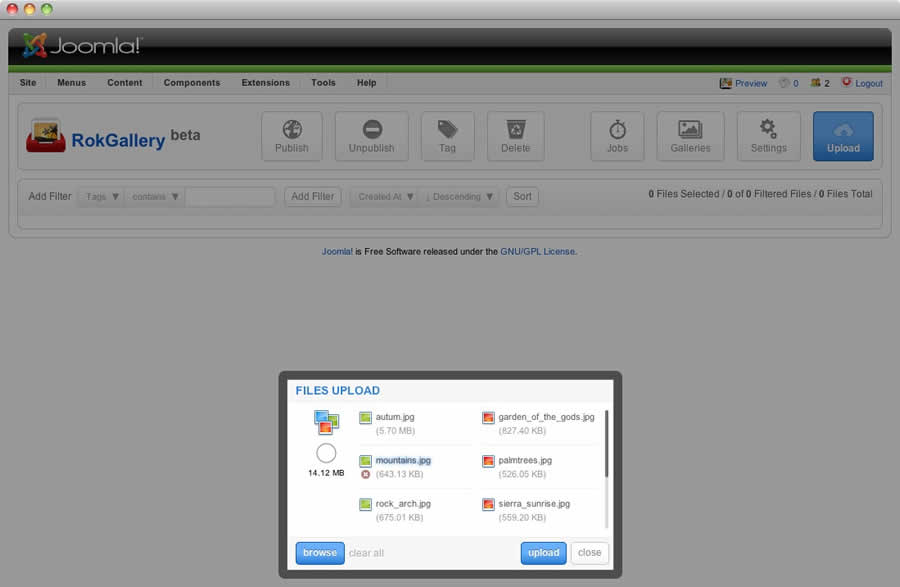
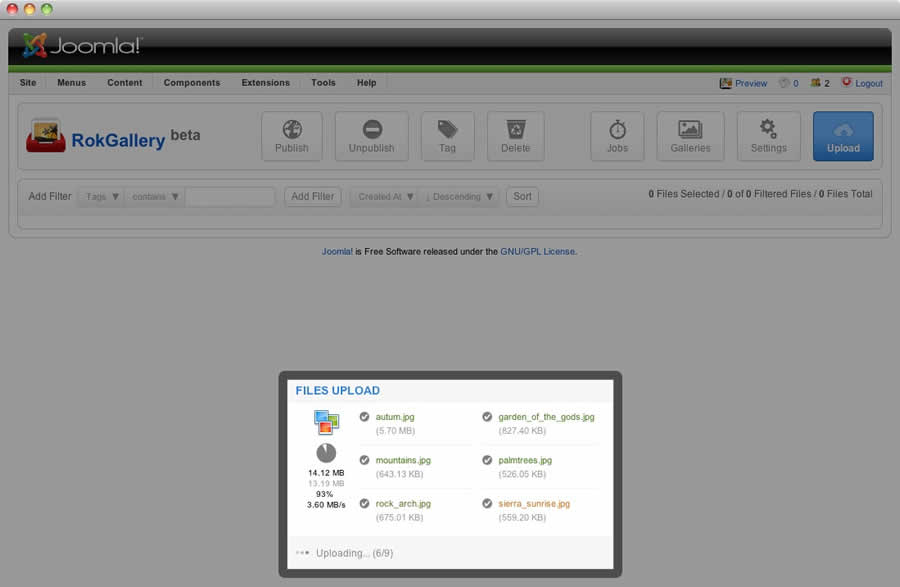
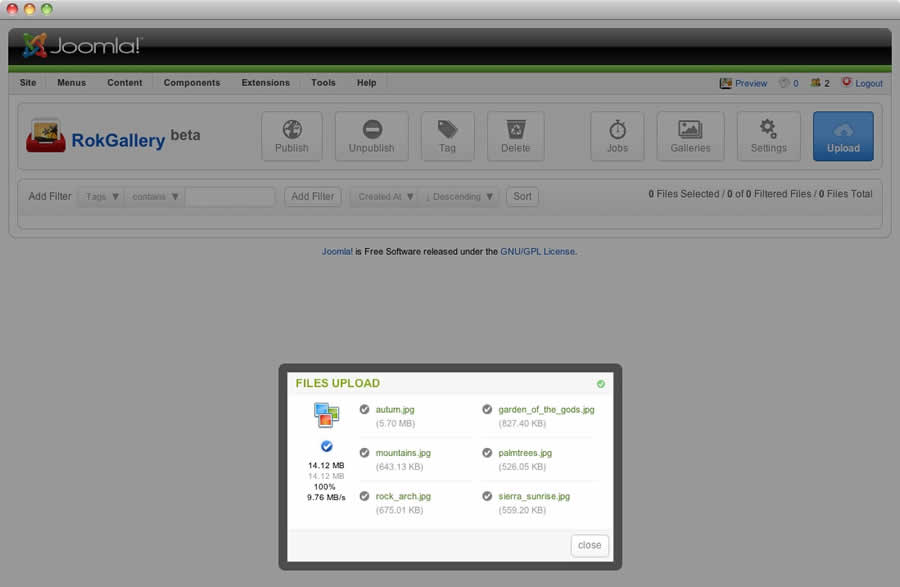
RokGallery uses a HTMl5 file uploader, or Flash for unsupported browsers.
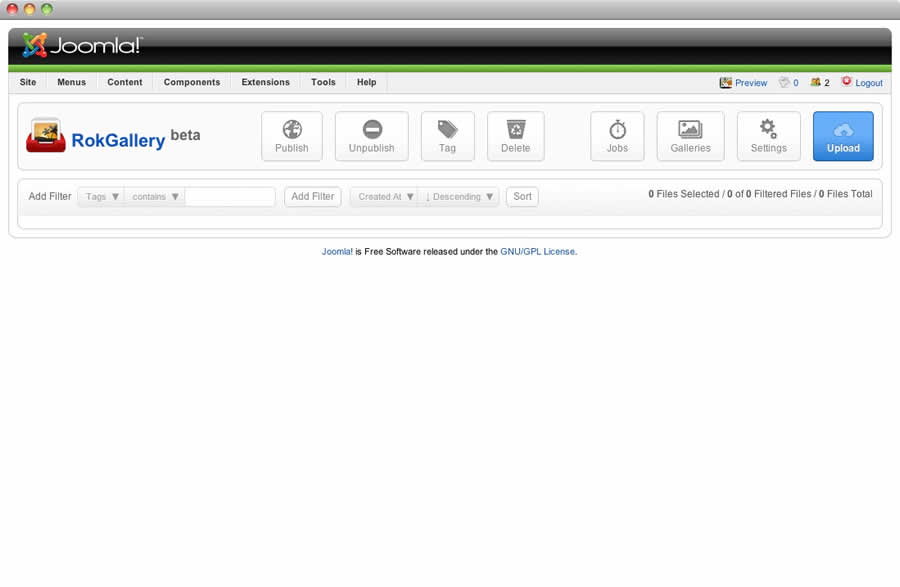
  • Go to Admin → Components → RokGallery
  • Click the Upload button
  • Either Drag and Drop the files, or click Browse and find
  • Click Upload
  • Monitor progress
  • Click Close once completed

RokGallery RokGallery

RokGallery RokGallery

RokGallery RokGallery

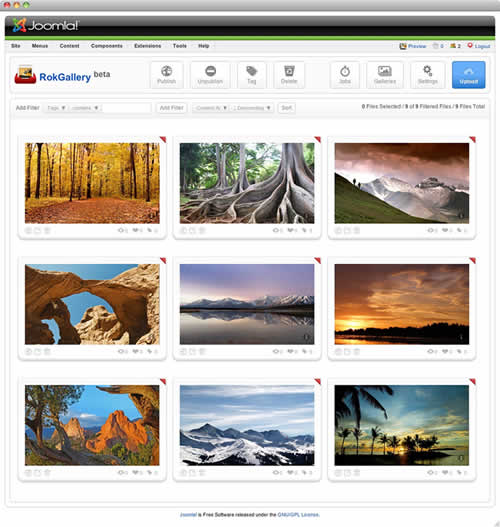
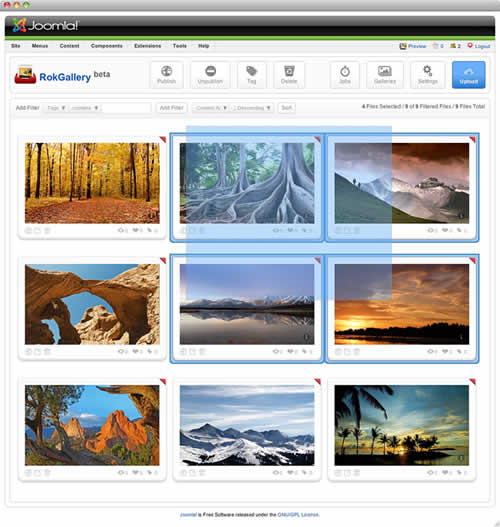
All photos will appear at Admin → Components → RokGallery. RokGallery has support for multiple image selection, either by drag and highlight with the cursor, or via individual selection with the Shift Key and click.
RokGallery RokGallery

RokGallery

Jobs Manager

The Jobs Manager provides you a log of operations undergoing or undergone in RokGallery. You can view:

  • Import status, with time stamps
  • Slice status, with time stamps
  • Clear all Jobs
  • Delete individual Jobs via the trash icon
  • Refresh individuals Jobs via the reload icon

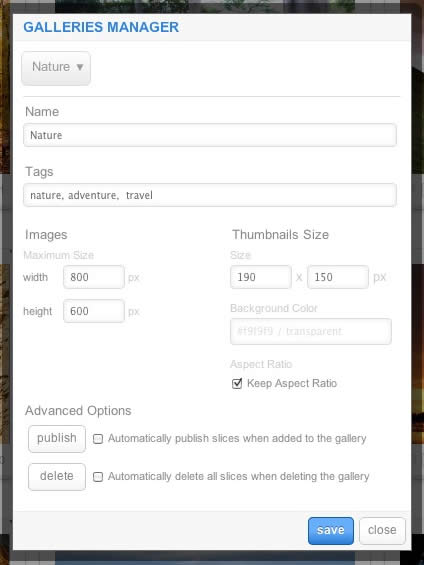
RokGallery is a tagged based gallery component, therefore, Galleries are controlled by tags and not specific photos in albums. Subsequently, you can easily have one master photo in multiple albums with ease.
RokGallery

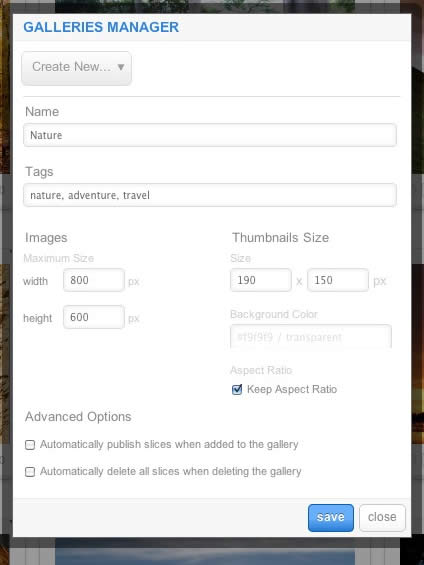
A single image can appear in numerous galleries based on its tag, and also can be different sizes based on the gallery settings, without editing the original image.

  • Dropdown: To create a new Gallery, select Create New, or the name of another Gallery to edit it
  • Name: Set the name of the Gallery
  • Tags: Set the tags that are associated with the gallery (separate via a comma)
  • Images: Set the maximum height and width of the full image
  • Thumbnails Size: Set the height and width of the thumbnails
  • Background Color: Set the background color for the thumbnail surround
  • Aspect Ratio: Check if you wish to keep the dimensions of the image intact, or cropped.

Remember to Publish a Gallery after clicking Save. If you make any changes to a Gallery, whether in the Galleries Manager, or in the Image Slice Editor, you will need to re-Save in the Galleries Manager for the changes to take place on the site.

RokGallery RokGallery RokGallery

RokGallery has a very advanced image editor, akin to a native application. The various parts will be discussed below.

After selecting the edit button, you will be able to edit the META data of the image, the image itself, plus delete or publish the image.

  • Title: The name of the image file to be displayed on the frontend gallery
  • Slug: The individual identifier for an image (we recommend not to change)
  • Description: The description of the image file shown on the frontend gallery
  • Tags: Add the tags that you wish to associate with the image
  • Slicing: Edit the image
  • RokGalleryPublish:Show or Hide an image for specific tags/galleries.
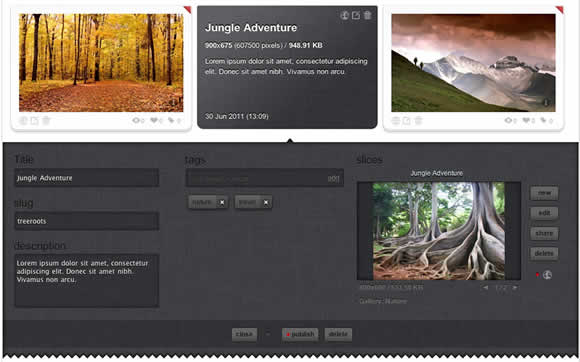
RokGallery

In the Slice Editor, you can edit the META data and the actual image. You can crop the image, similar to that of an native application, with a set or variable marquee, in addition to Zoom controls. Edits in the Slice Editor are on a per gallery/tag basis.

The original image that was uploaded is maintained, as a new image is created after applying the crop. This can be reverted at any time from the Slice Editor.
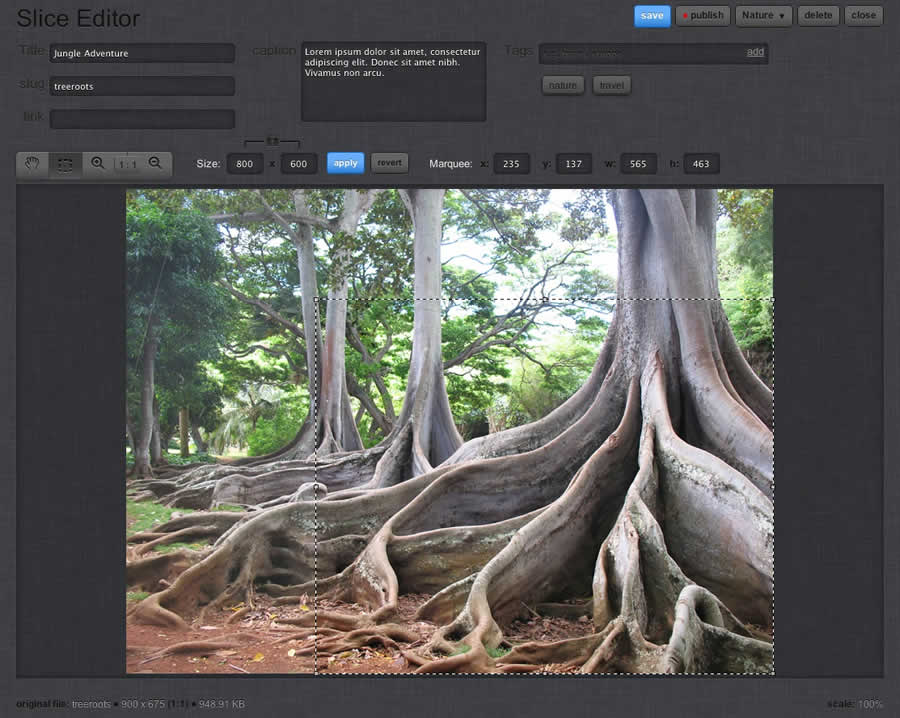
RokGallery

Additionally, you can also Share the slice via the Share button, or Delete the image via the Delete button, from the Image Editor:
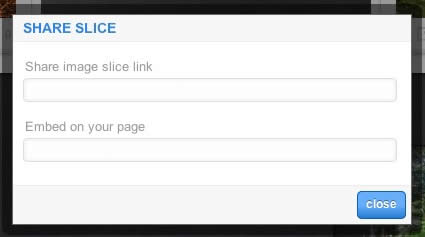
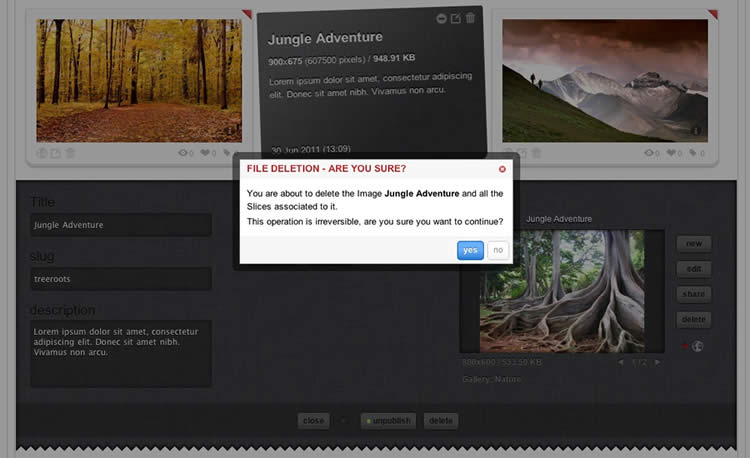
RokGallery RokGallery

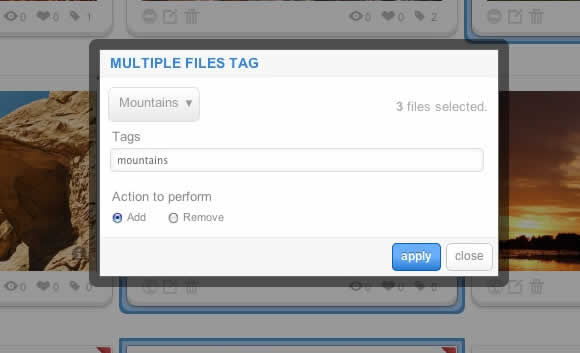
Tagging is at the core of RokGallery, and with its multi-selection ability, you can easily manage tags across multiple images with great ease. Simply highlight several images and click Tags. Here, you can add, remove, or change any common tags applied to your selection.

If you wanted to quickly move several images to another gallery, simply change their tag.
RokGallery

RokGallery

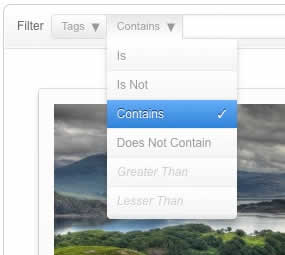
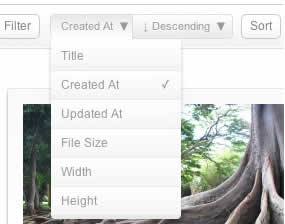
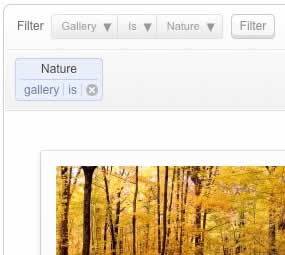
A system based on tagging needs an advanced search facility, so RokGallery employs a simple but powerful filtering mechanism:

Filter Type

  • Tags
  • Gallery
  • Published
  • File Size
  • Width
  • Height

Filter Operation

  • Is
  • Is Not
  • Contains
  • Does not Contain
  • Greater than
  • Lesser than

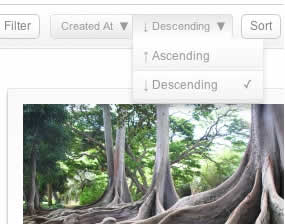
Order by Type (Asc/Des)

  • Title
  • Created At
  • Updated At
  • File Size
  • Width
  • Height

RokGallery RokGallery

RokGallery RokGallery

Filters are not singular and can be applied cumulatively:
RokGallery RokGallery